Data Collection
Usage
The central data collection page looks like the following.
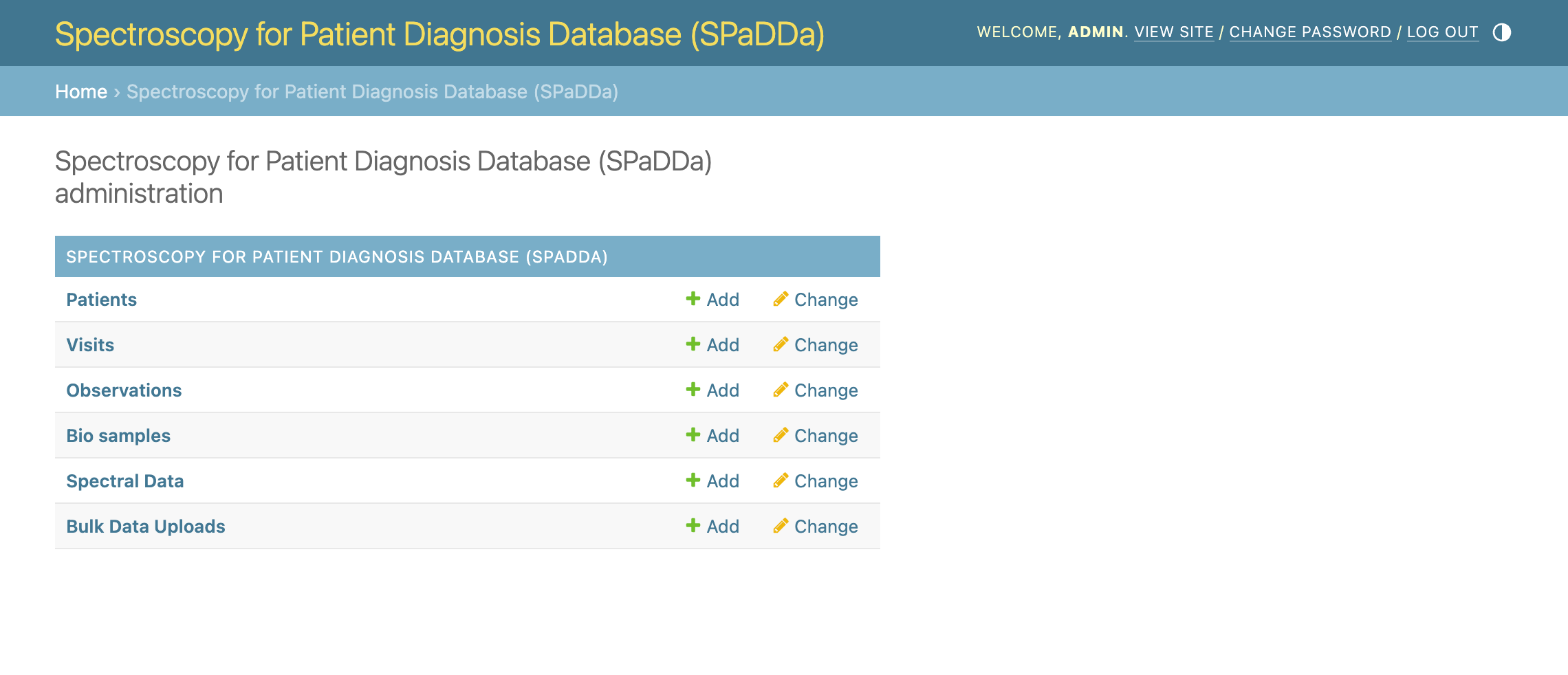
From the central data collection page you can view, add, and edit (permissions required) the following types of data forms. Each form below includes all forms for those listed below it, excluding that for Bulk Data Uploads.
Patients: This is the principle form for collecting data for new (or returning) individual patients. This is probably the only form you need to use, because it’s all forms rolled in to one.
Visits: Every patient’s data is contained within the concept of a “visit”. This form can be used for collecting additional data for returning patients already in the database.
Observations: Use this form to collect a patient’s “observables” that represent a variety of types of meta data. E.g., age, blood pressure, lab test results, comorbidities etc.
BioSamples: Use this form to collect information in regard to how the biological sample was taken, e.g., blood, nasal swab, urine etc. This sample is that processed to collect a patient’s spectroscopy data.
SpectralData: Use this form to upload a patient’s spectroscopy data associated with the above observables taken at a given visit.
Bulk Data Uploads: Use this form for convenience to upload multiple patients at the same time (privileged permission required).
Viewing
The first thing to note is that clicking on any of these will take you to the corresponding “list” view of all the data of that kind that you have permission to view. Normally, your permission to view data is limited to that collected exclusively by your center/institute/hospital (specified upon user membership registration).
For example, patients may look like this.
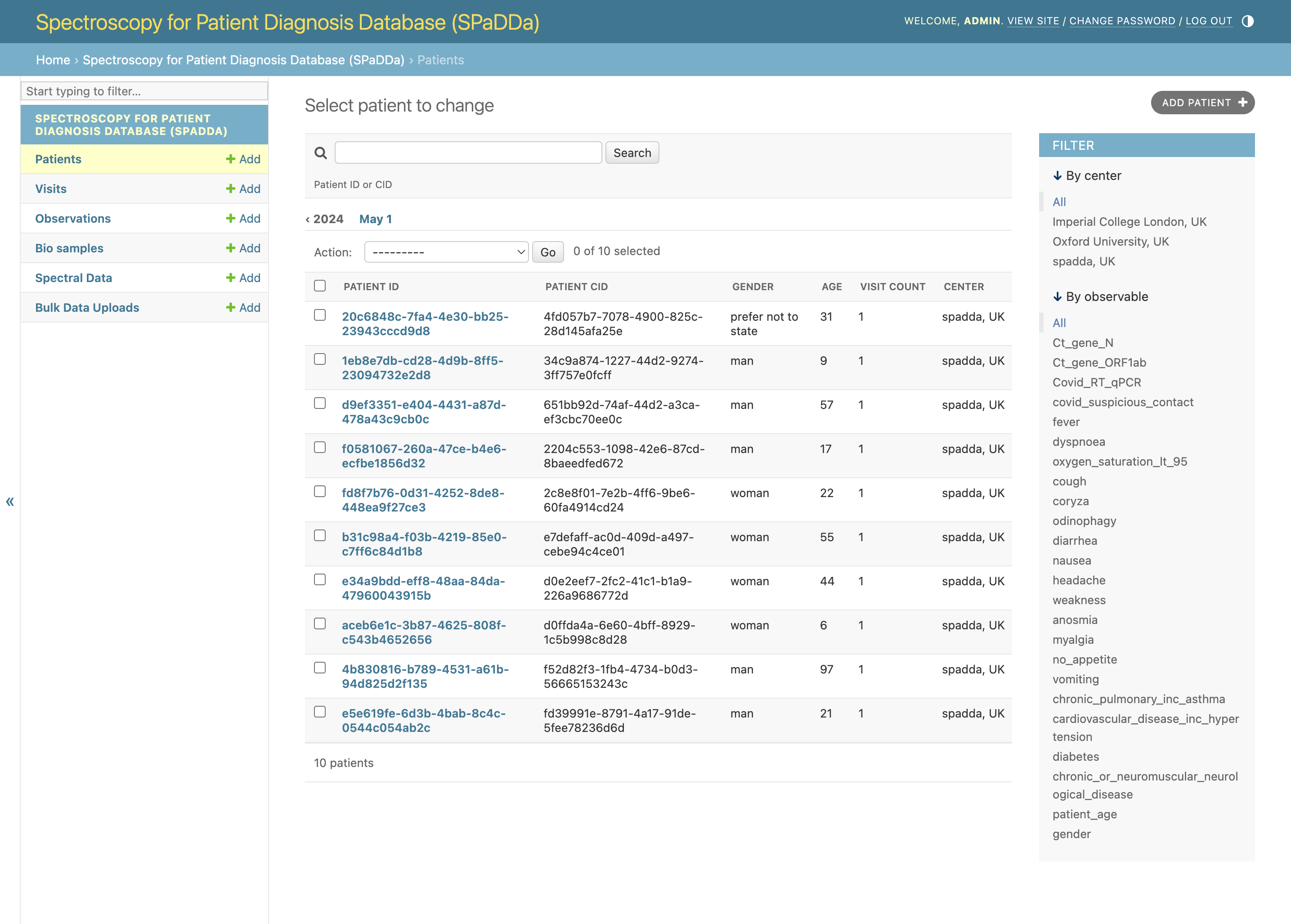
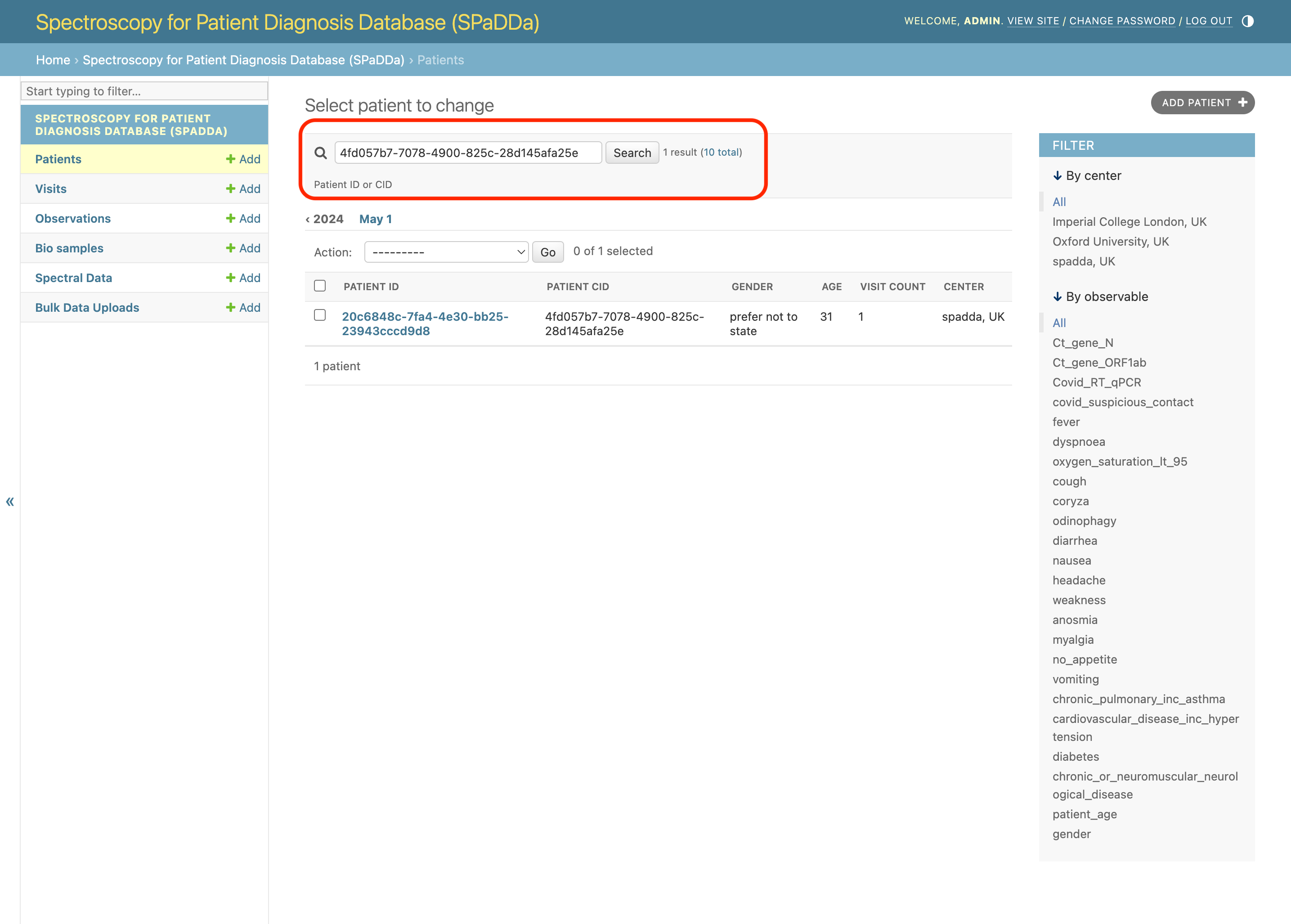
Patients can be filtered by their CID, this is the anonymized or pseudonymized Center ID, i.e., that given for that patient by the center.
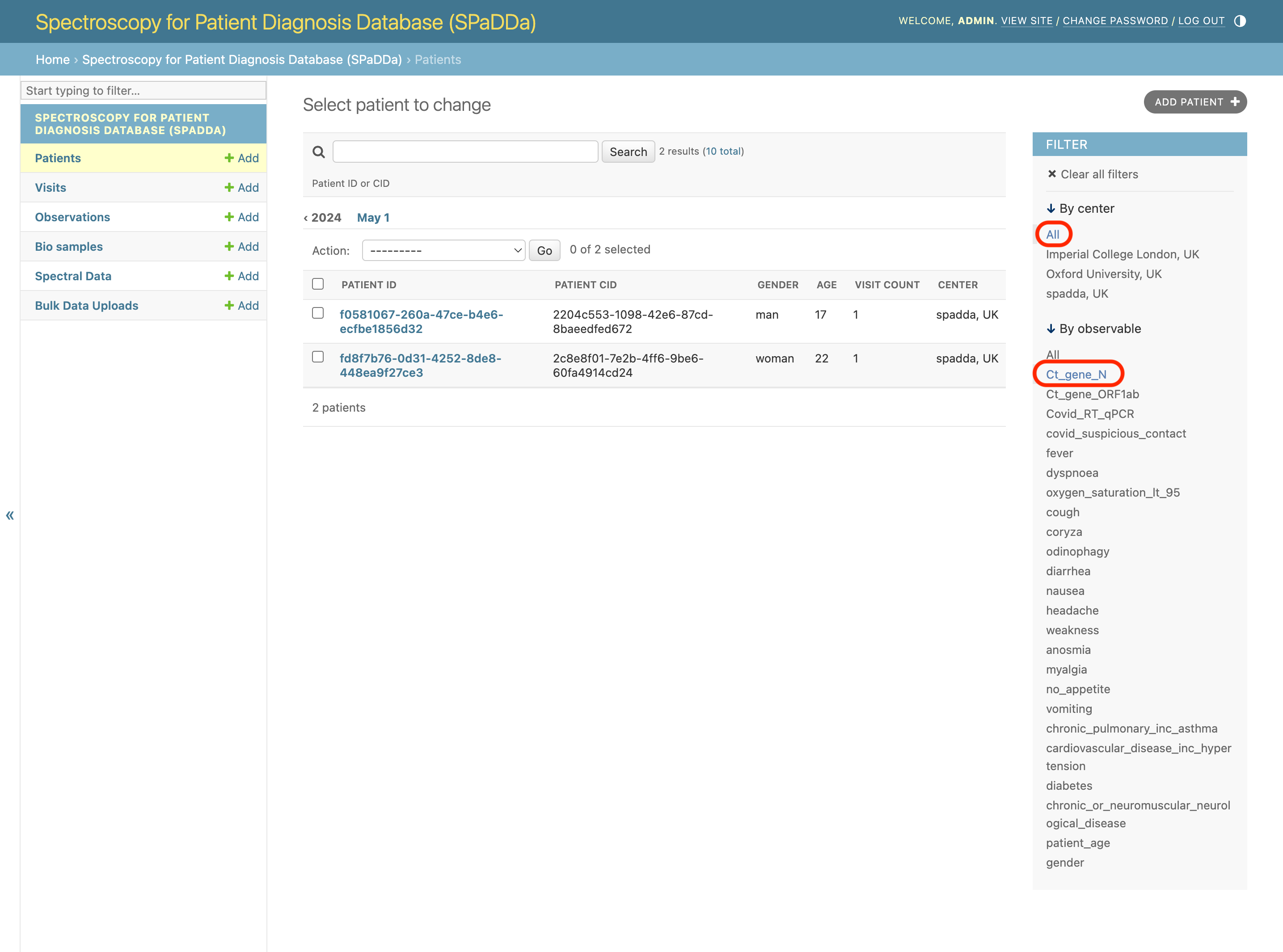
Patients can also be filtered by their observables, for example, whether data was collected for the selected observable, or for booolean types, whether the data value is True.
In the example below we filter patients by those that have results for a Covid Ct_gene_N test.
Downloading
When viewing data, both the SpectralData and Bulk Data Uploads files can be downloaded by clicking on the relevant URL link for the given view.
Note
As a security measure the download URLs are only temporary. Attempting to use them once they have expired will not work and will result in a AccessDenied error. To generate new ones, please refresh the page.
Adding
To add new data simply click any of the +Add buttons.
For collecting new patient data click on the
+Addbutton next to thePatientstab on the left.For collecting additional data for returning patients click on the
+Addbutton next to theVisitstab on the left.
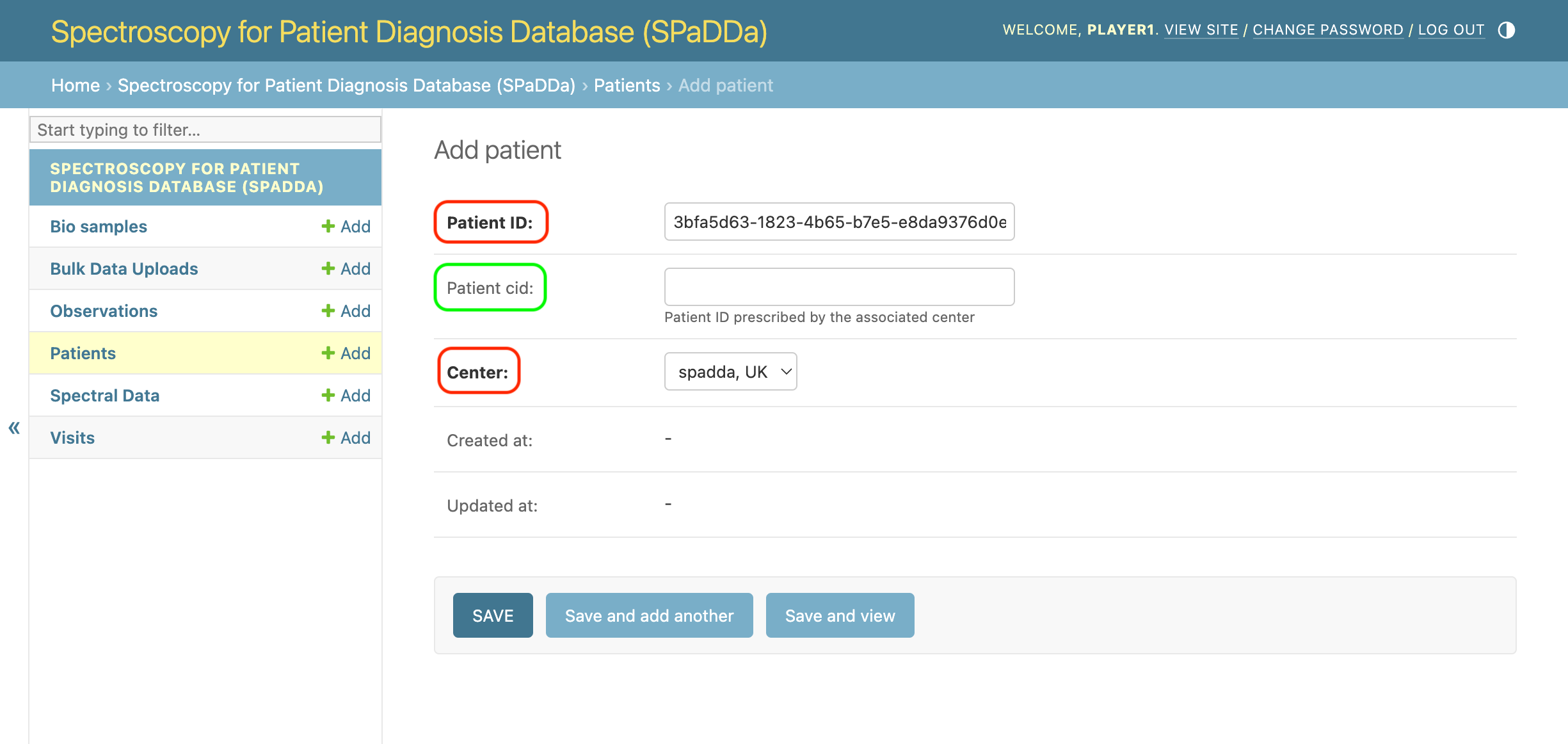
When adding data via the numerous data collection forms outlined below, one thing to note are those fields that are required from those that are optional (blank). Fields shown in bold are required and optional otherwise as shown below (those circled in red are required and those in green are optional).
Editing
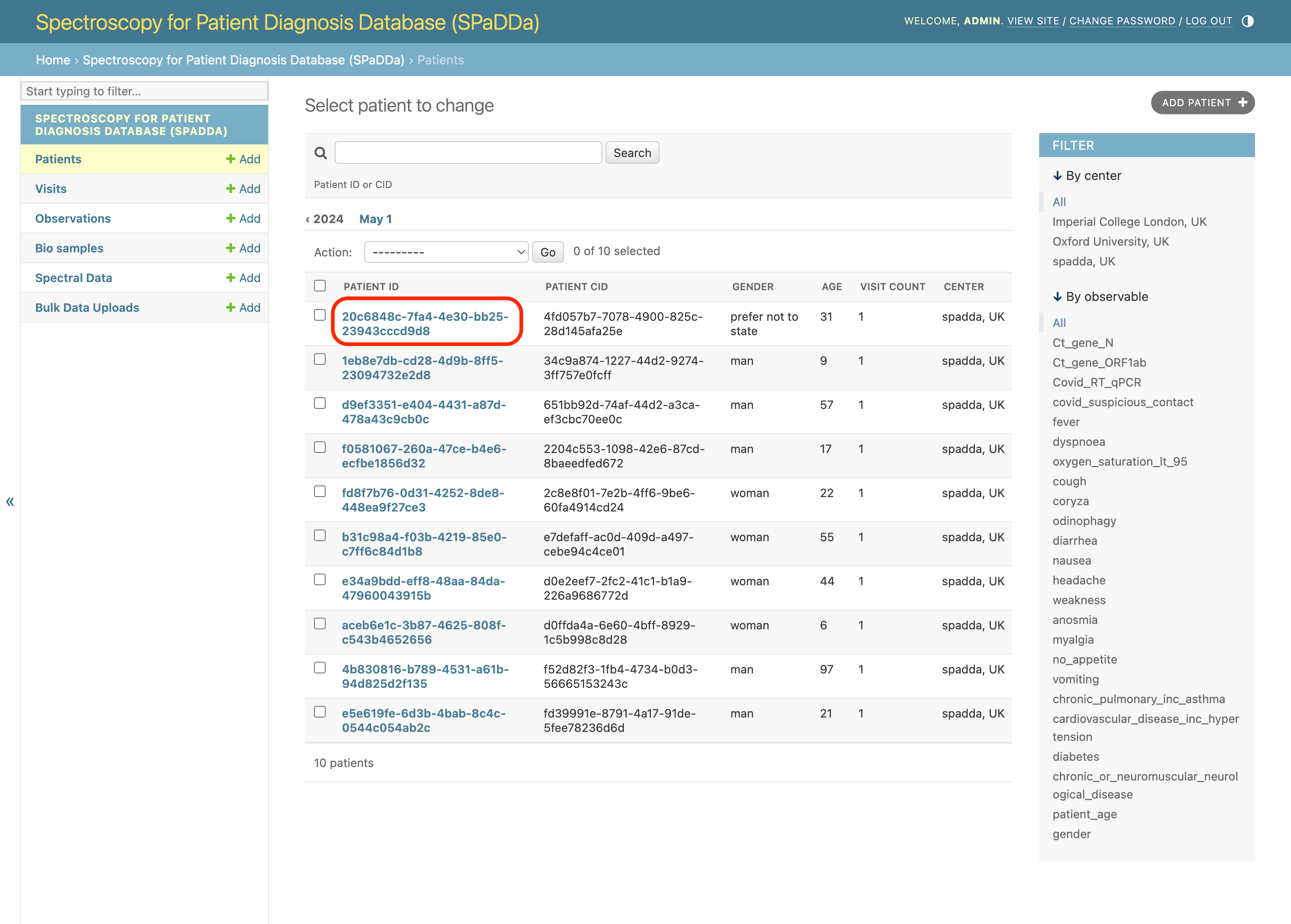
To edit existing data, e.g., for an existing patient click on the Patient ID from the patient list view as shown below.
Note
You may not have adequate user permissions to edit data.
Deleting
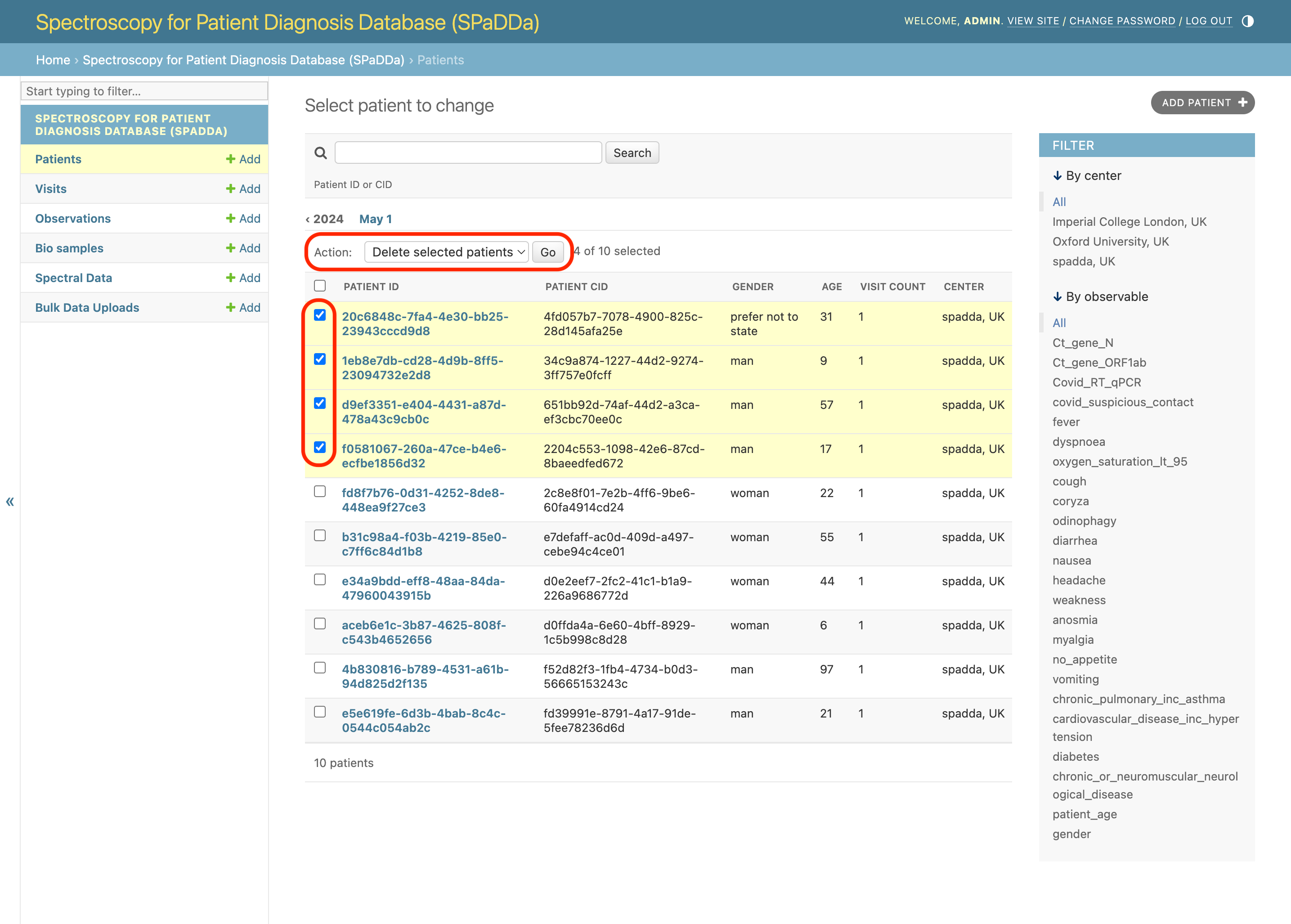
To delete data, check all required checkboxes for the given content to be deleted, then, for example, select Delete selected patients from the Action drop down, and click go.
As shown below.
Note
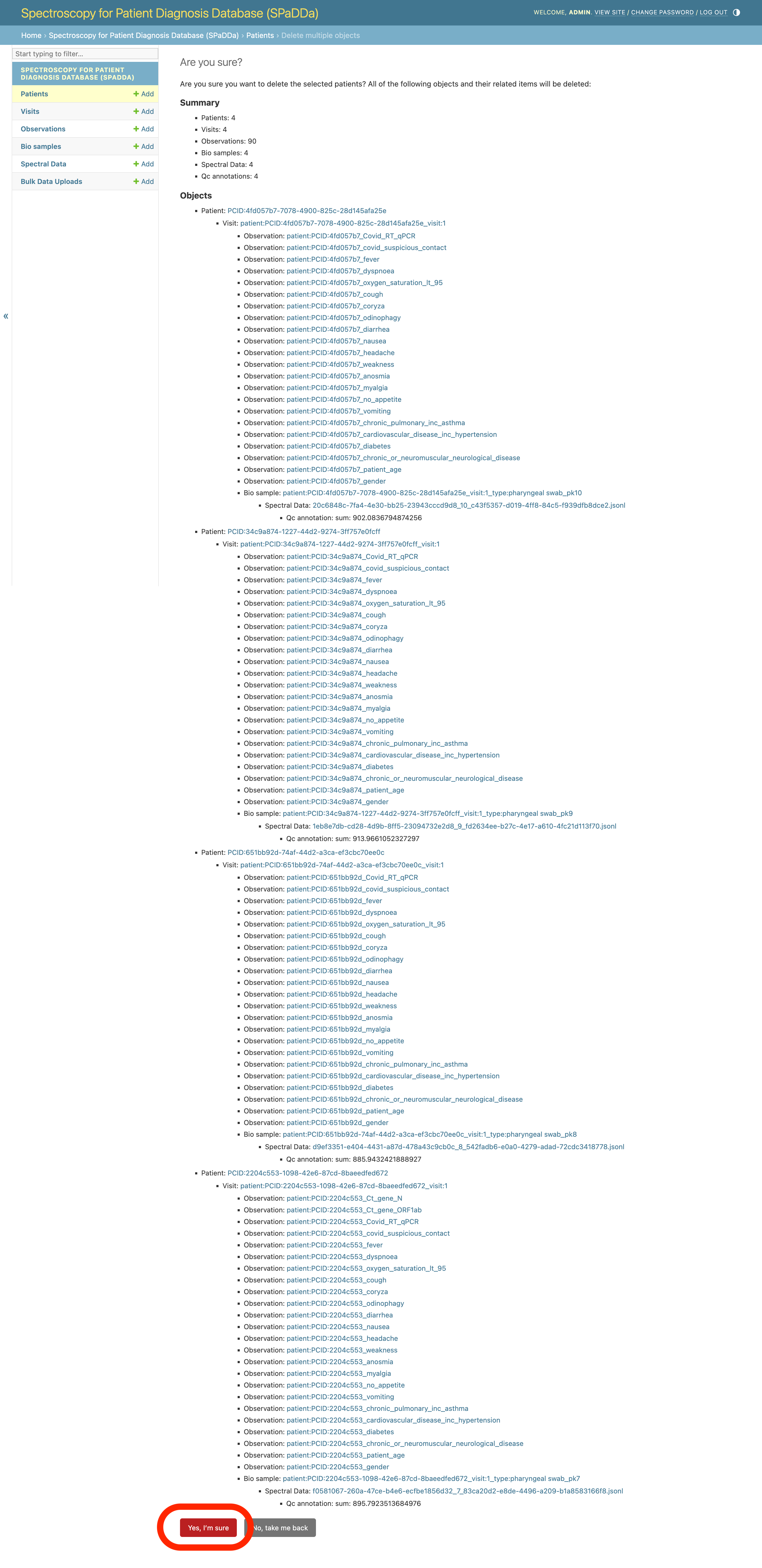
Don’t worry, this won’t delete the data just yet, instead, a confirmation page is loaded and further action is required.
This will then take you to a summary of all the database entries that will be deleted as a consequence of your deletion request.
To confirm the deletion, click Yes, I'm sure.
Note
You may not have adequate user permissions to delete data.
Patients
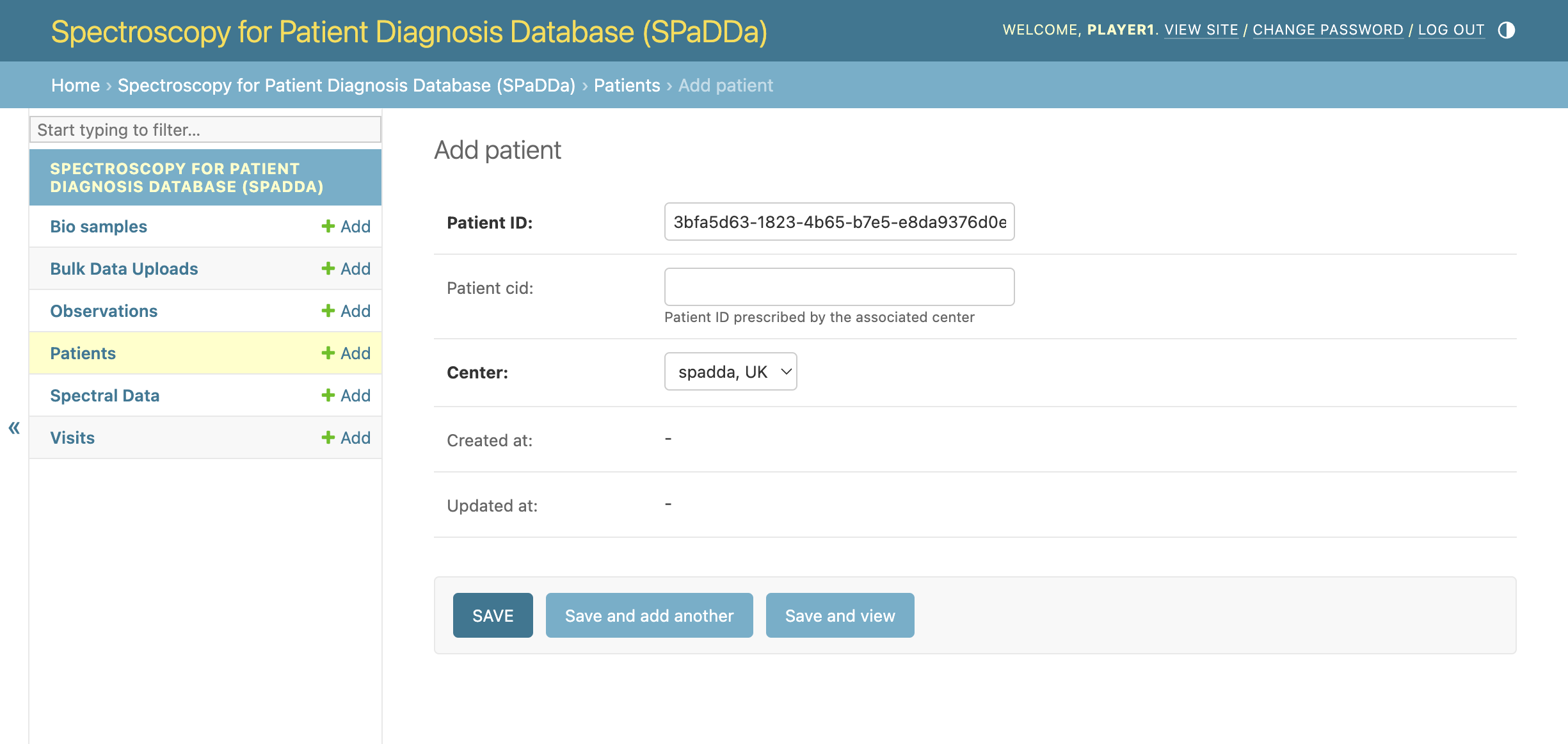
Below is an example of the fields present for a patient form.
The Patient ID is an auto generated UUID, however, the Patient CID is provided by the user adding the patient.
The center field will automatically be populated with your user center. This is neither optional nor editable.
Warning
The Patient CID is optional, however, if provided it must NOT contain PII. It MUST be either a fully anonymized or a pseudonymized identifier.
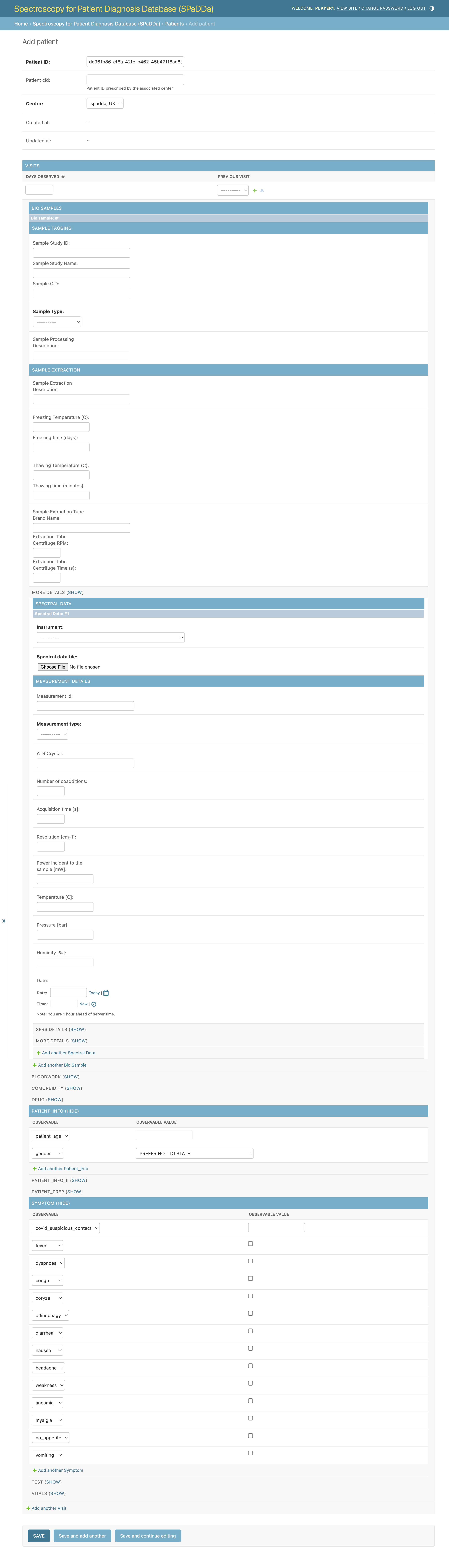
Whilst the above shows you the basic fields belonging to the Patient database model, the principle form for data collection is more extensive and includes forms for all aspects of data collection for a given patient.
As shown below.
Visits
A “visit” represents a physical visit to a care provider in which both questionnaire data and biosample data (to be spectroscopically analyzed) are collected.
It is used predominately to facilitate in the collection of longitudinal patient data allowing for an individual patient to have multiple data collections over time.
It has next to no fields of its own. The only notable field is Days observed which can be used to apply to that of all observations related to this visit.
Observations
This form is used to collect a patient’s “observables”. Observables represent all questionnaire data (patient meta data) and diagnostic data associated with the given patient for their given visit. Observations are one of the two principle data types collected.
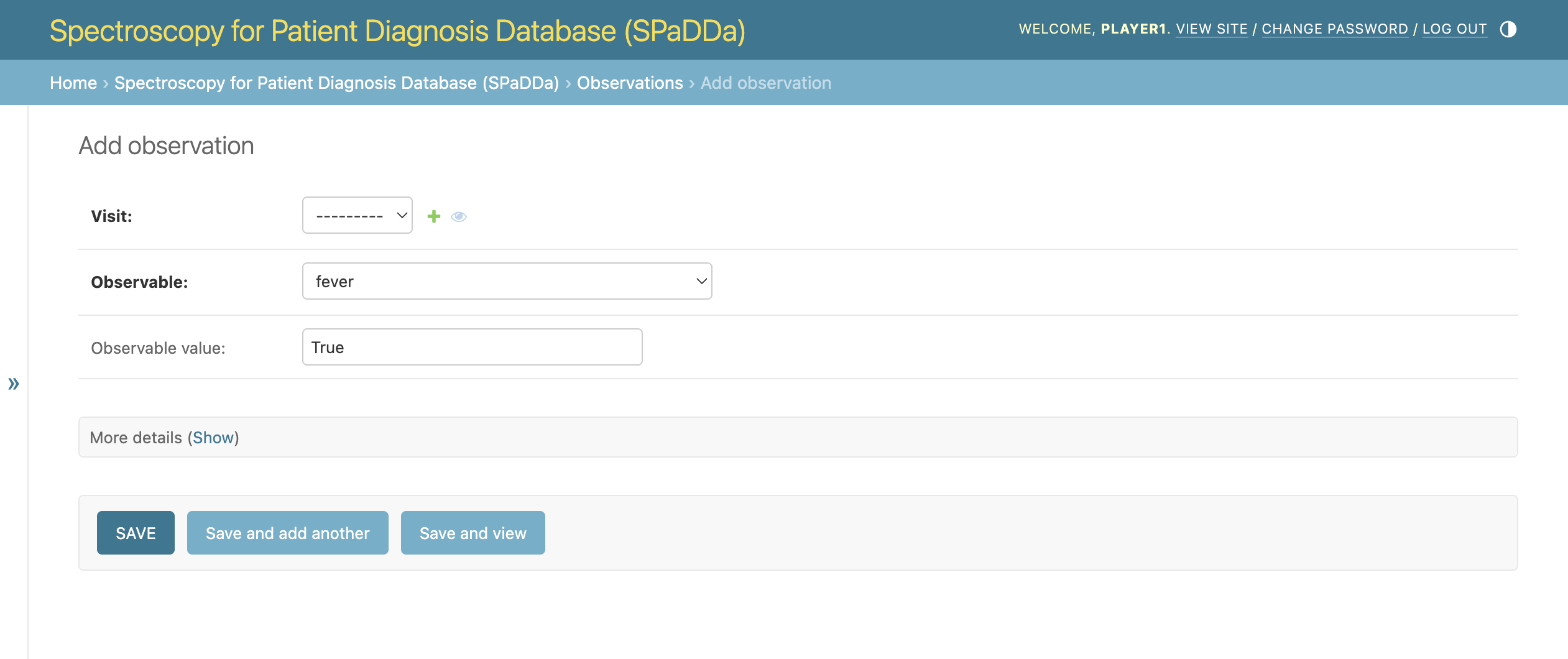
A single observation’s fields are:
Observable: A drop-down selection of possible observations for your user center.
Observable value: The value for this observation, e.g., “None”, True|False, N/A, 10, 0.5, etc.
As shown below.
Observables are grouped into the following categories:
Bloodwork
Comorbidity
Drug
Patient Info
Patient Info II
Patient Prep
Symptom
Symptom
Test
Vital
Note
Some categories may be empty having no associated observables to select from.
BioSamples
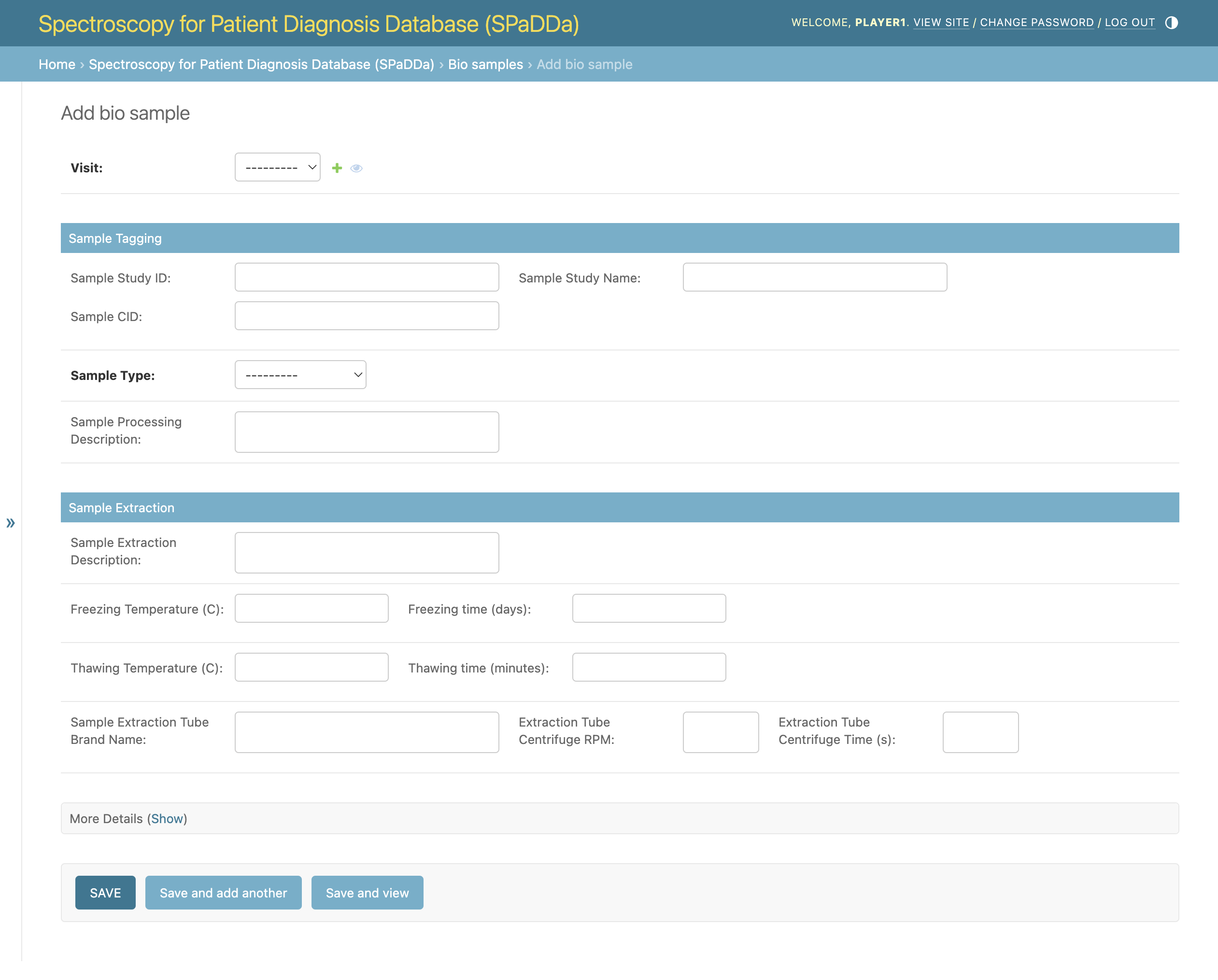
A “BioSample” is all the data relevant to the physical biological sample taken from the patient. This biological sample will then be spectroscopically analyzed and uploaded on the SpectralData page.
Below is an example of the BioSample collection form.
SpectralData
This is the actual spectroscopy data file. Spectroscopy data is one of the two principle data types collected.
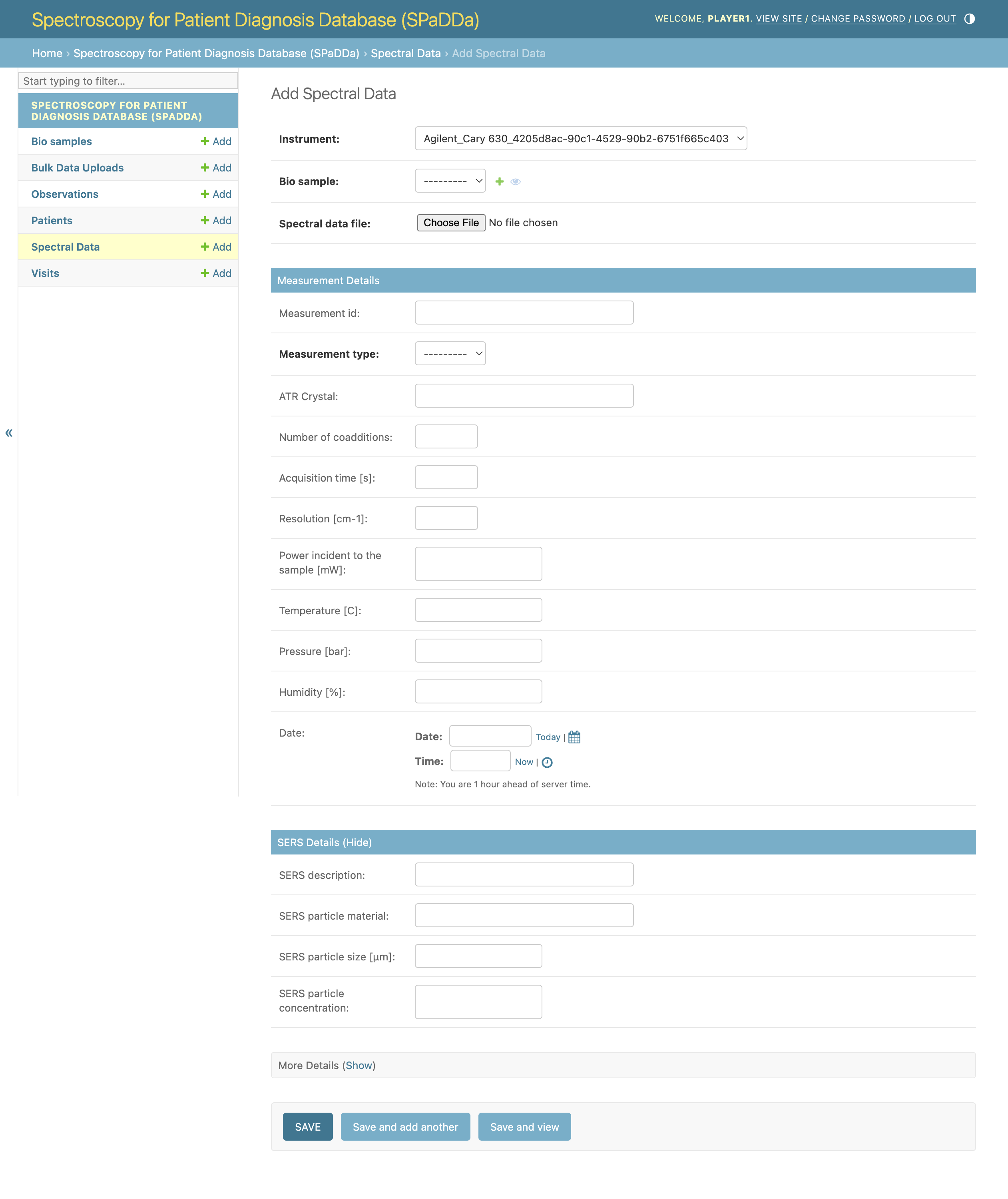
Below is an example of the SpectralData collection form. The principle fields here are the Instrument used to spectroscopically analyze the biosample and the Spectral data file field used to upload the data file.
Note
Privileged permissions are required to add Instruments to the database. If you do not see your specific instrument in the selection box, please reach out to the website administrator.
The allowed file formats for this data file are .csv, .xlsx, and .json.
The data is expected to be of the following table layout of just two rows. The first colum is the Patient ID with all other column headers being the wavelength value and the second row their amplitude values.
Patient ID |
4000 |
3998.137375 |
3996.27475 |
… |
656.5878754 |
654.7252503 |
652.8626251 |
|---|---|---|---|---|---|---|---|
b933bf6e-54fd-4c76-9e1d-8b8e220b27fa |
0.100503863 |
0.957369651 |
0.820841317 |
… |
0.203205173 |
0.161018822 |
0.893624159 |
Specific examples for each format can be found on GitHub. E.g., sample.csv.
Note
As a security measure the download URLs are only temporary. Attempting to use them once they have expired will not work and will result in a AccessDenied error. To generate new ones, please refresh the page.
Bulk Data Uploads
For data collection of multiple patients and visits, this form can be used to upload tables of data.
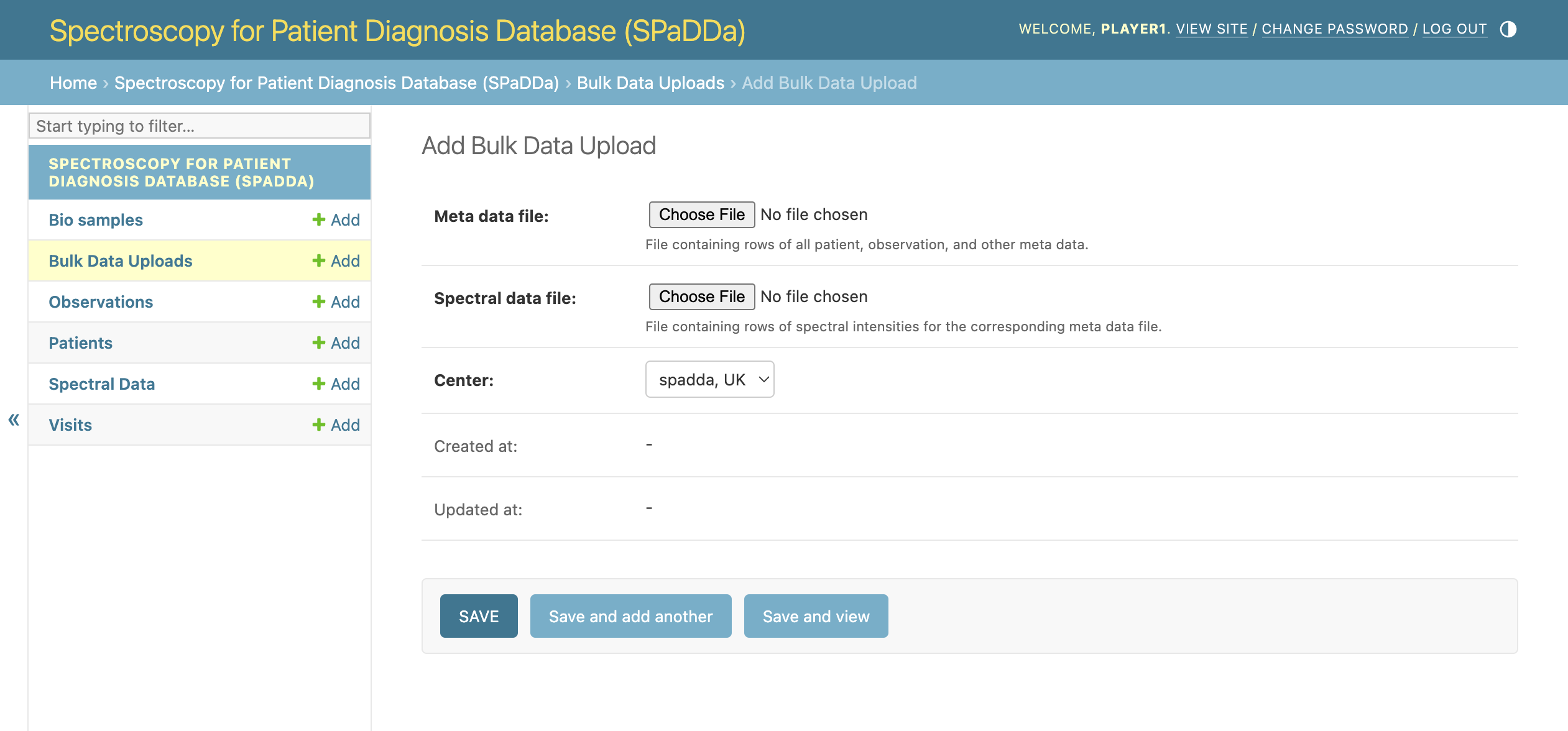
Below is an example of the Bulk Data Upload collection form.
Note
Privileged permissions are required to add data via the Bulk Data Upload form.
The allowed file formats both data files are .csv, .xlsx, and .json.
The expected data table layout for the Spectral data file is the same as that stated above for SpectralData, however, multiple rows are allowed with each representing a single patient’s data file.
The Meta data file contains all other data to be uploaded as a table where each column represents a specific field to be parsed and a row per patient containing the field values.
The Meta data file will include patient observations with a column header for each observable name.
The observable names are aliased to more human readable names, and since these are dynamic within the database they cannot be statically listed within this manual.
Furthermore, since privileged permissions are required to use this form, please reach out to the site administrator for a list of all meta data column names.
Specific examples for each format can be found on GitHub. E.g., meta_data.csv and spectral_data.csv.
Note
As a security measure the download URLs are only temporary. Attempting to use them once they have expired will not work and will result in a AccessDenied error. To generate new ones, please refresh the page.