Dataset Catalog
Usage
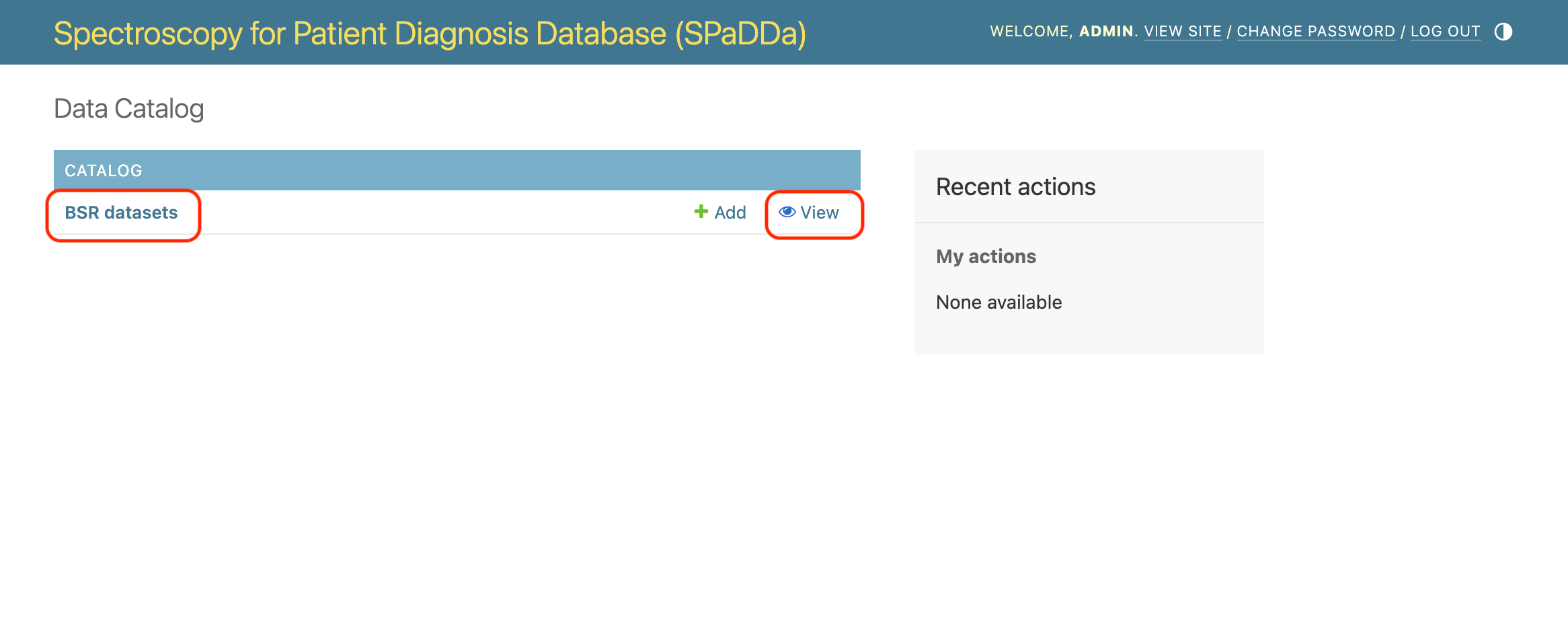
When landing on the /catalog/ page you should expect to see the following, where clicking on BSR datasets will take you to a list of available datasets to download.
Note
“BSR” stands for Biosample Spectral Repository.
Note
Privileged permissions are required to add cataloged datasets, so don’t worry if you don’t see the +Add button.
Here’s an example list of available datasets.
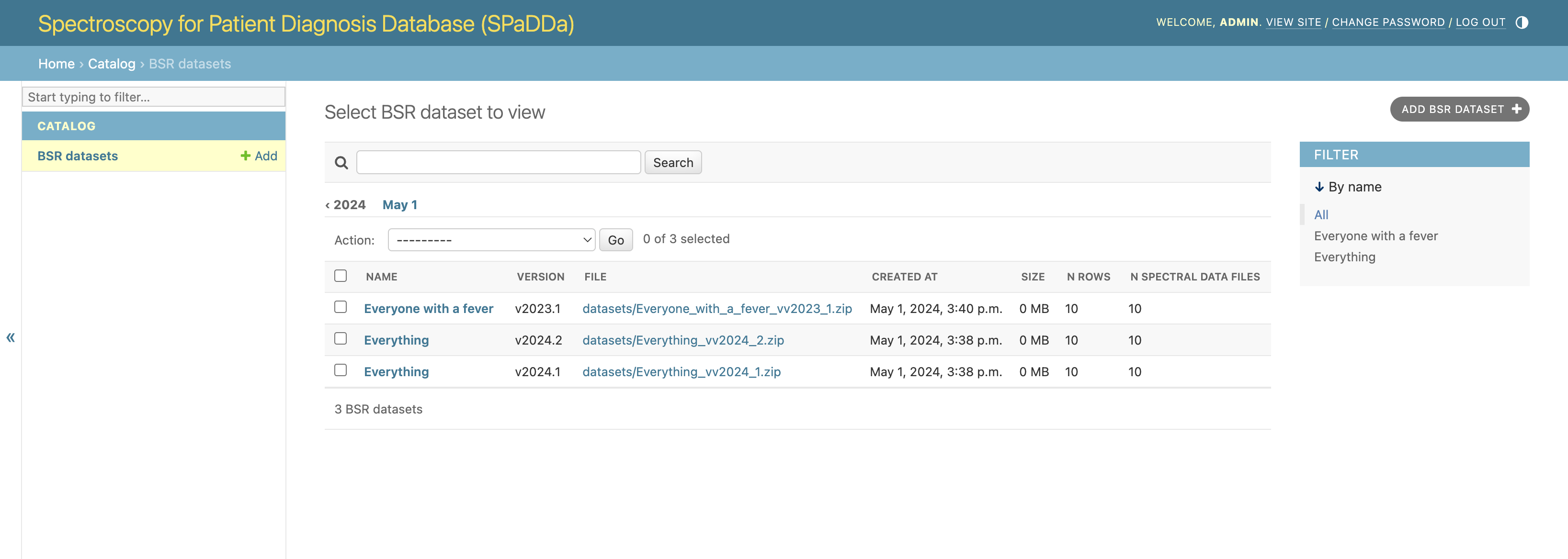
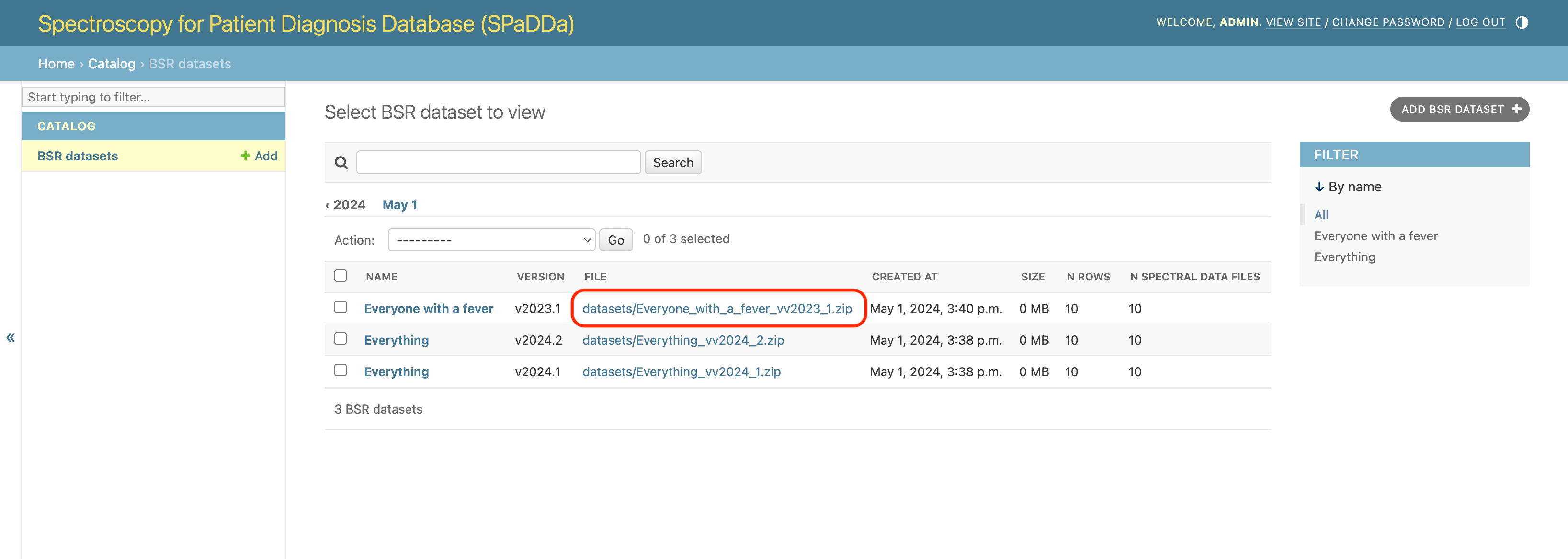
From there the datasets themselves can be downloaded as zip files by clicking on the link under the FILE column.
Note
As a security measure the download URLs are only temporary. Attempting to use them once they have expired will not work and will result in a AccessDenied error. To generate new ones, please refresh the page.
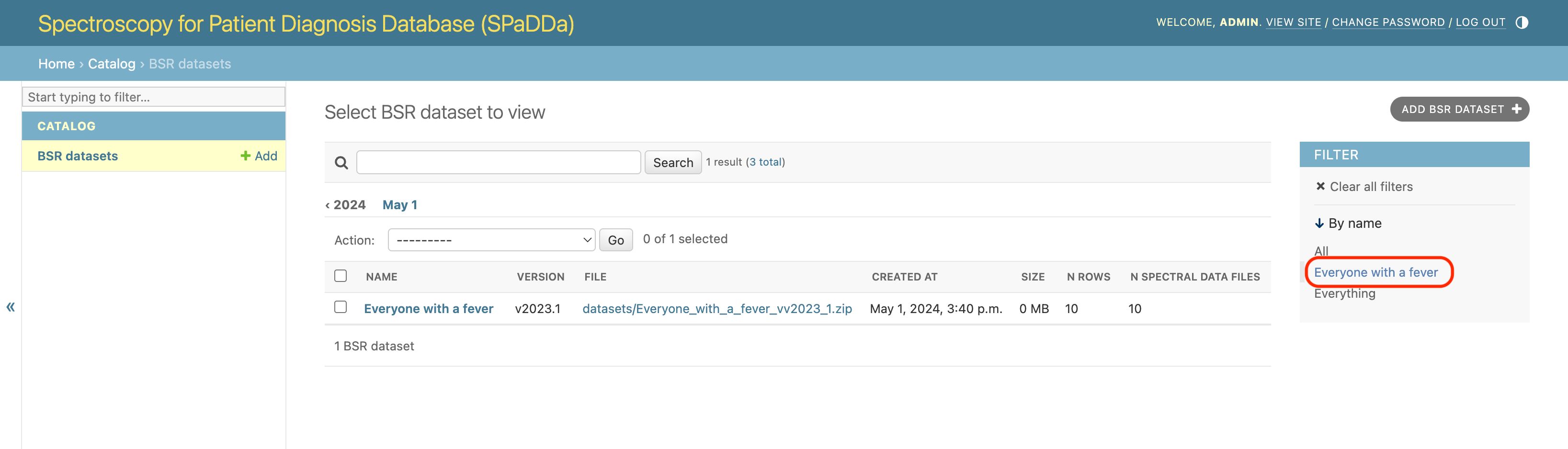
Datasets can be filtered by name.
Clicking on the dataset NAME will then take you to the dataset details.
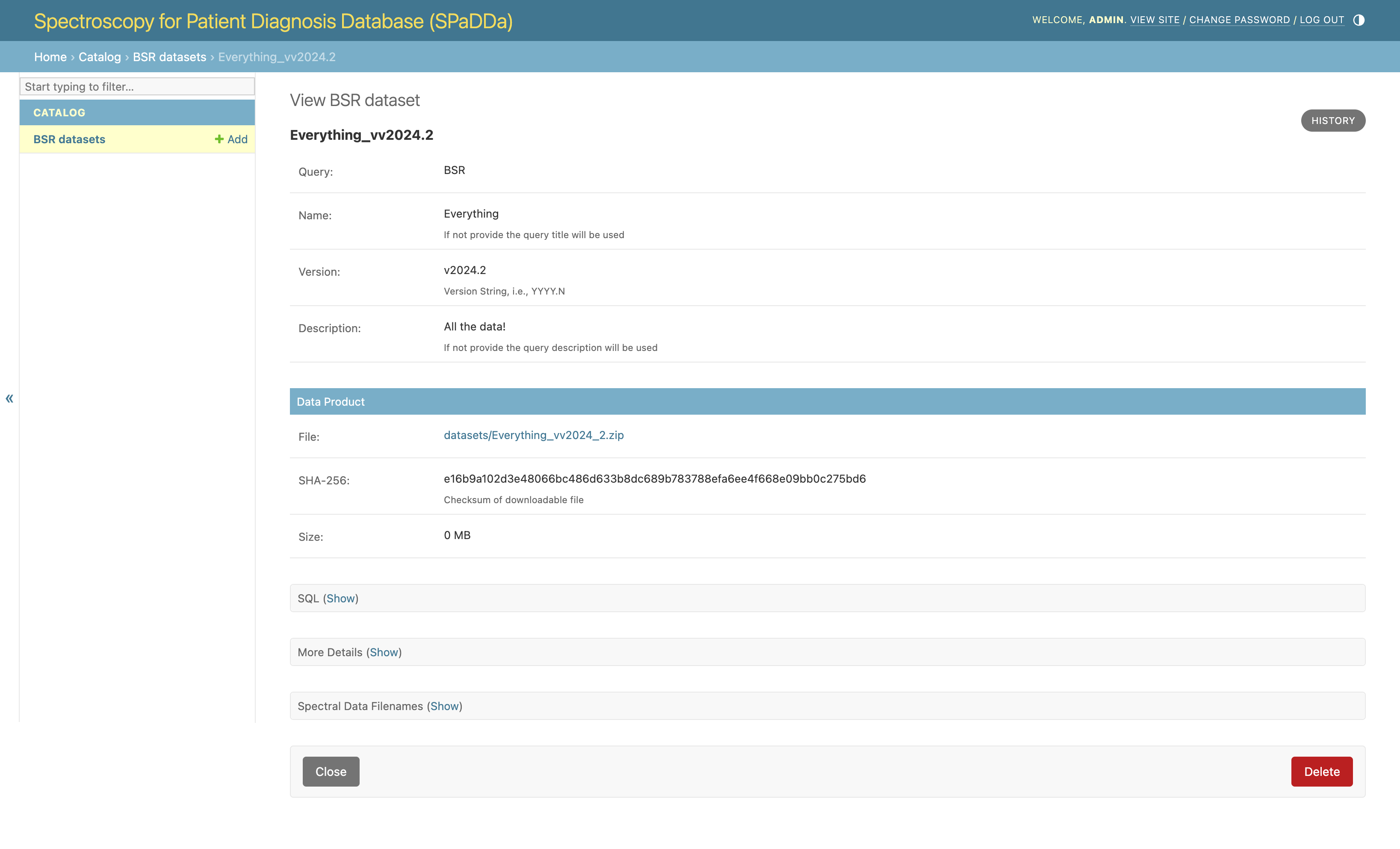
Details are organized and some will be collapsed, when expanded expect something similar to the following.
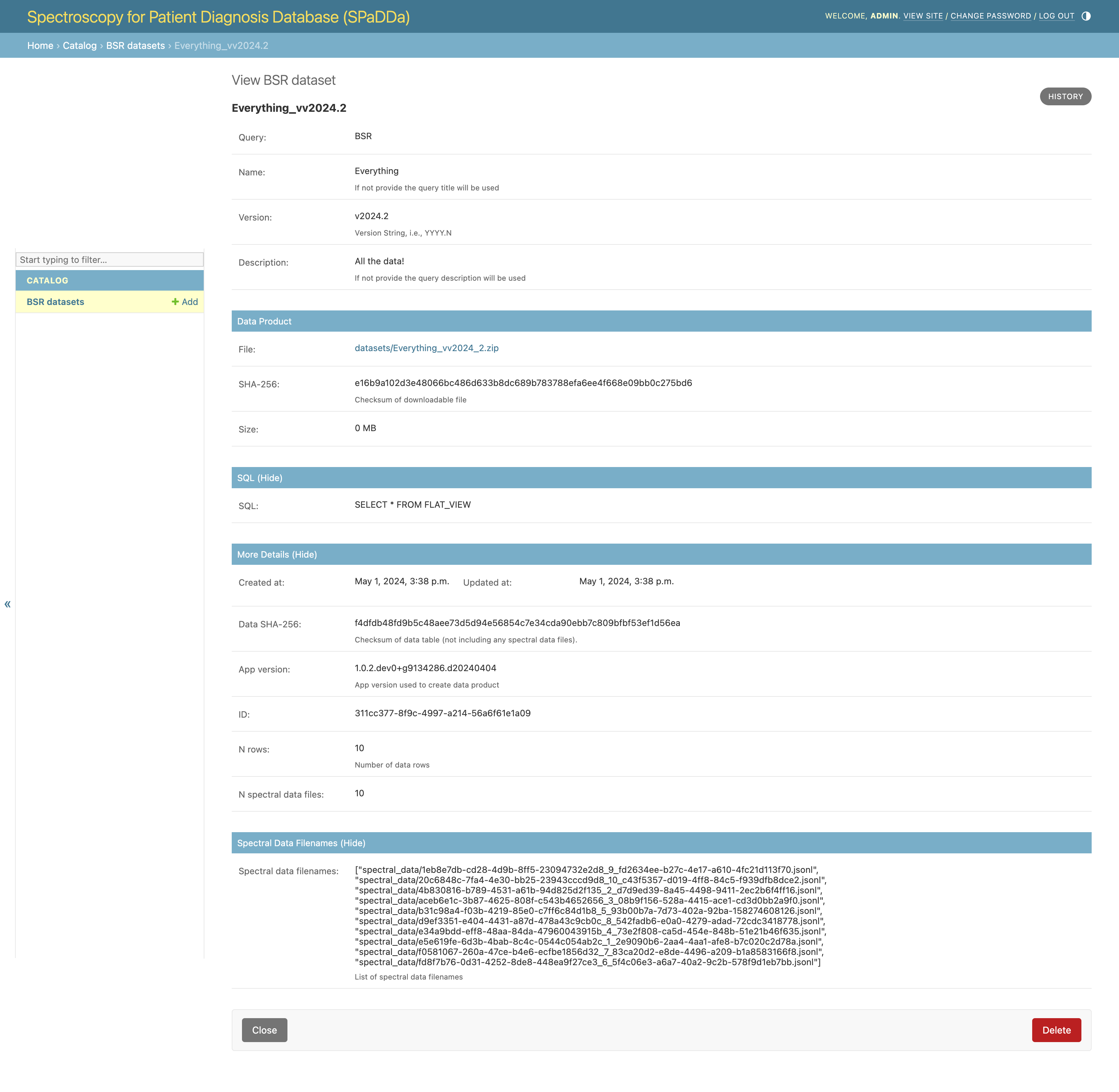
Fields
Query: The query used to produce a dataset is itself modeled and stored in the database - this field is the query’s name. To add new queries see SQL Explorer.
Name: This is the name given to the dataset.
Version: Datasets are versioned to distinguish between those generated by the same query at different times in the lifetime of the database. I.e., different snapshots as the database contents grows.
Description: A more verbose text describing the semantics and contents of this particular dataset.
File: This is the link to the zip file. Click to download.
SHA-256: The SHA-256 checksum of the entire zip file. See Computing Data File Integrity.
Size: The size of the downloadable zip file in MB (0MB implies a size of the order of KB).
SQL: This is the SQL query used to generate the dataset from the database.
Data SHA-256:: The SHA-256 checksum of the data file archived within the zip file. See Computing Data File Integrity.
App version: The version of the application deployed and thus used to generate the dataset.
ID: The primary key for the dataset as stored in the website’s main database.
N rows: The number of rows in the zipped data file. Depending on the query, this could be the total number of patients or something else.
N spectral data files: The number of individual spectral data files zipped within the downloadable zip file.
Spectral data filenames: A list of all the file names for all individual spectral data files zipped within the downloadable zip file.
Computing Data File Integrity
The SHA-256 field is the SHA-256 checksum of the zip file that once downloaded, its integrity can be verified by computing the checksum and comparing it to the value of this field - they should be identical.
Checksums can be computed on a unix machine (e.g., MacOSX or Linux) via the terminal using the following command:
shasum -a 256 path/to/downloaded/file.zip
Using a Windows CMD prompt:
certutil -hashfile C:path\to\downloaded\file.zip SHA256
Similarly the Data SHA-256 field is the checksum for the data table file archived within the zip file, e.g., “BSR.csv”.
Note
“BSR” stands for Biosample Spectral Repository.